


Description
Product Description
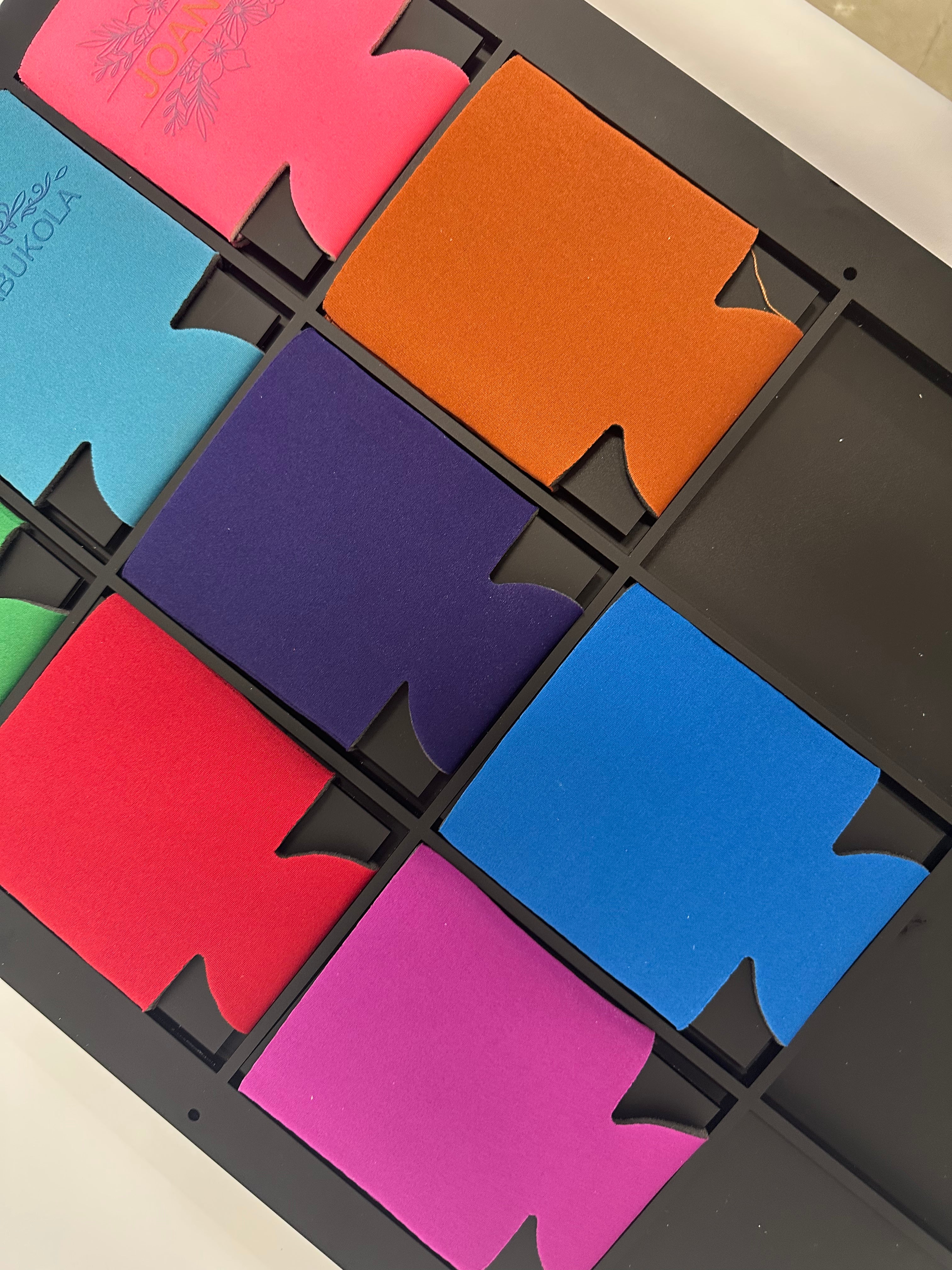
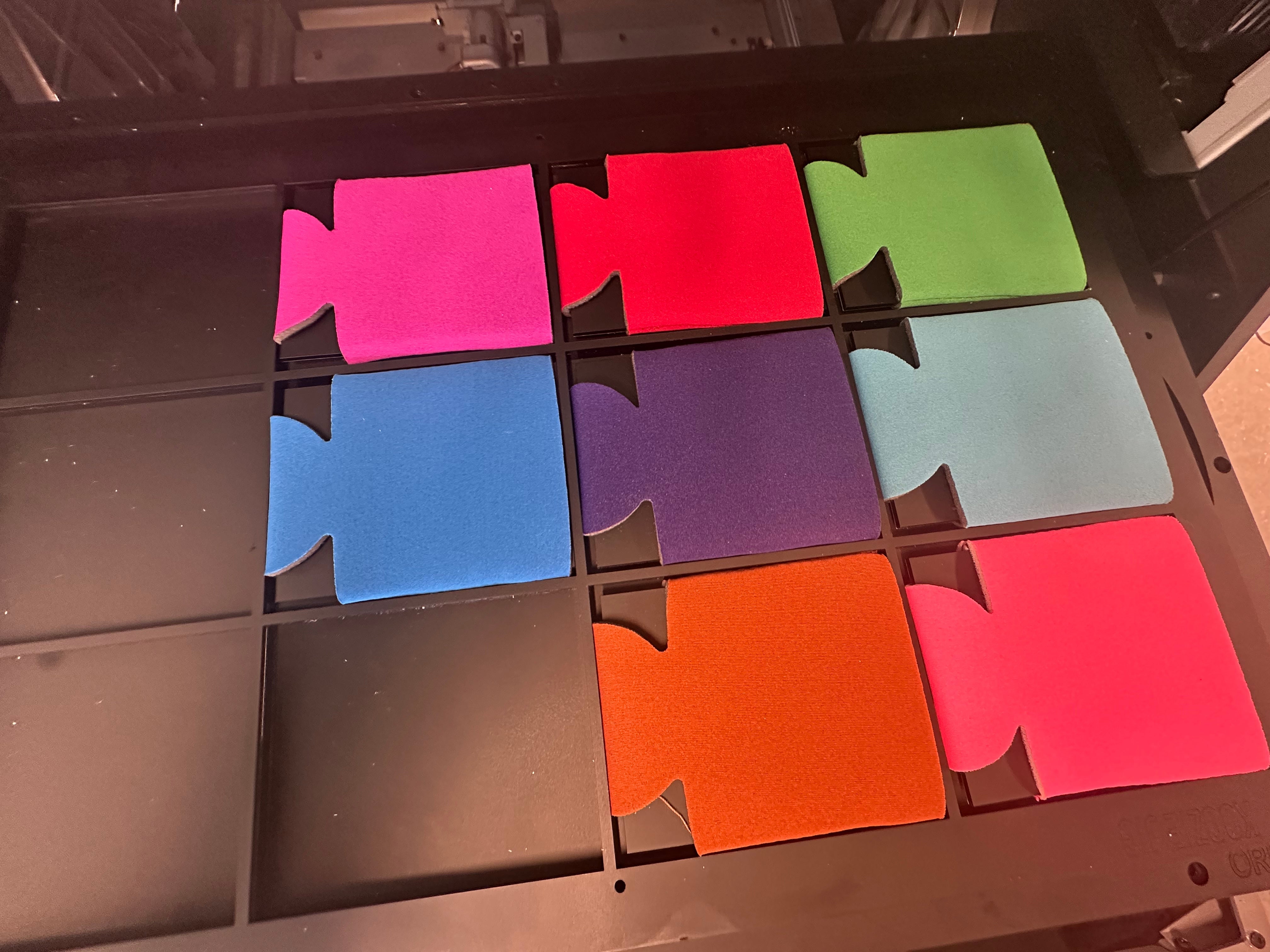
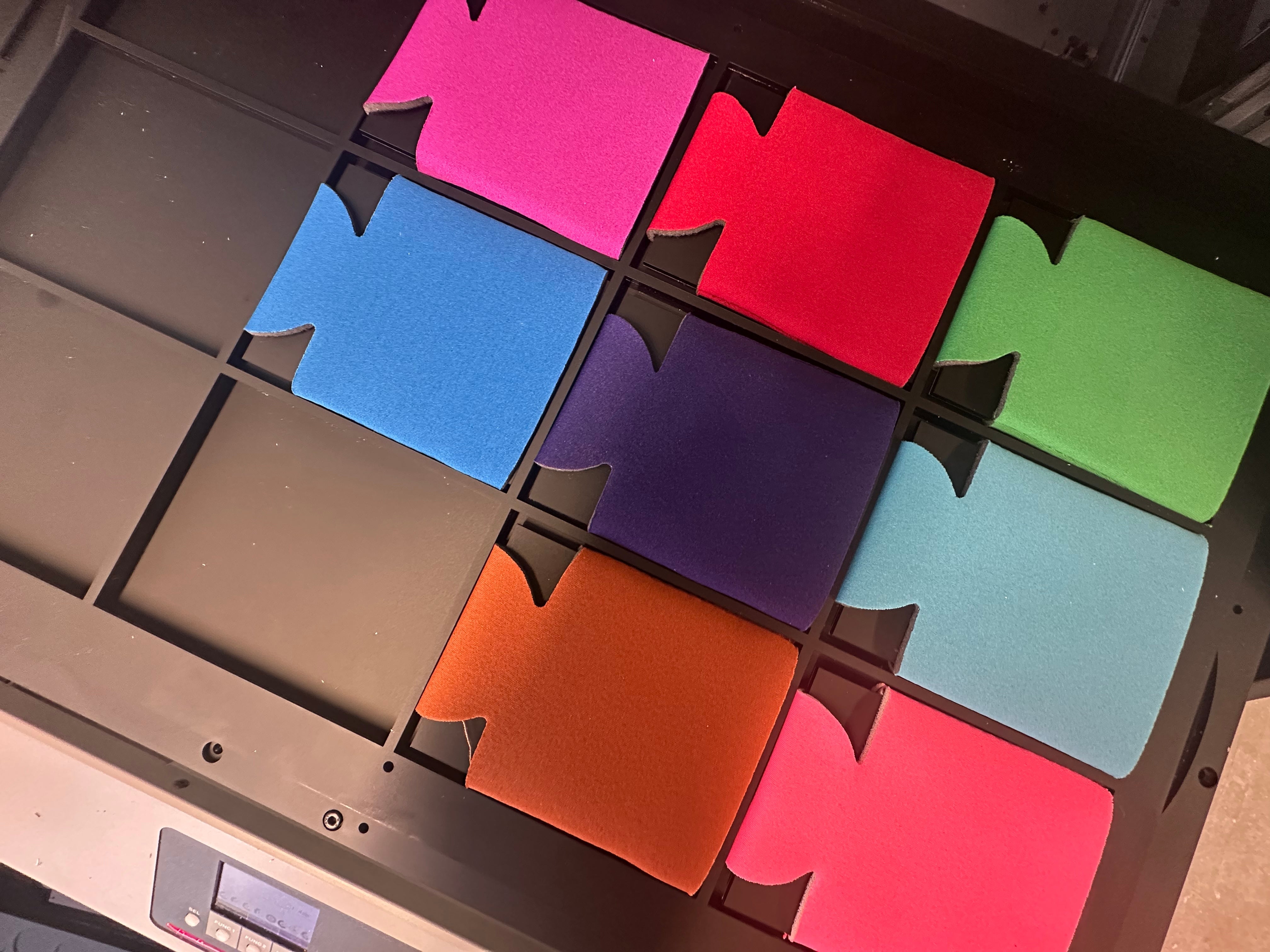
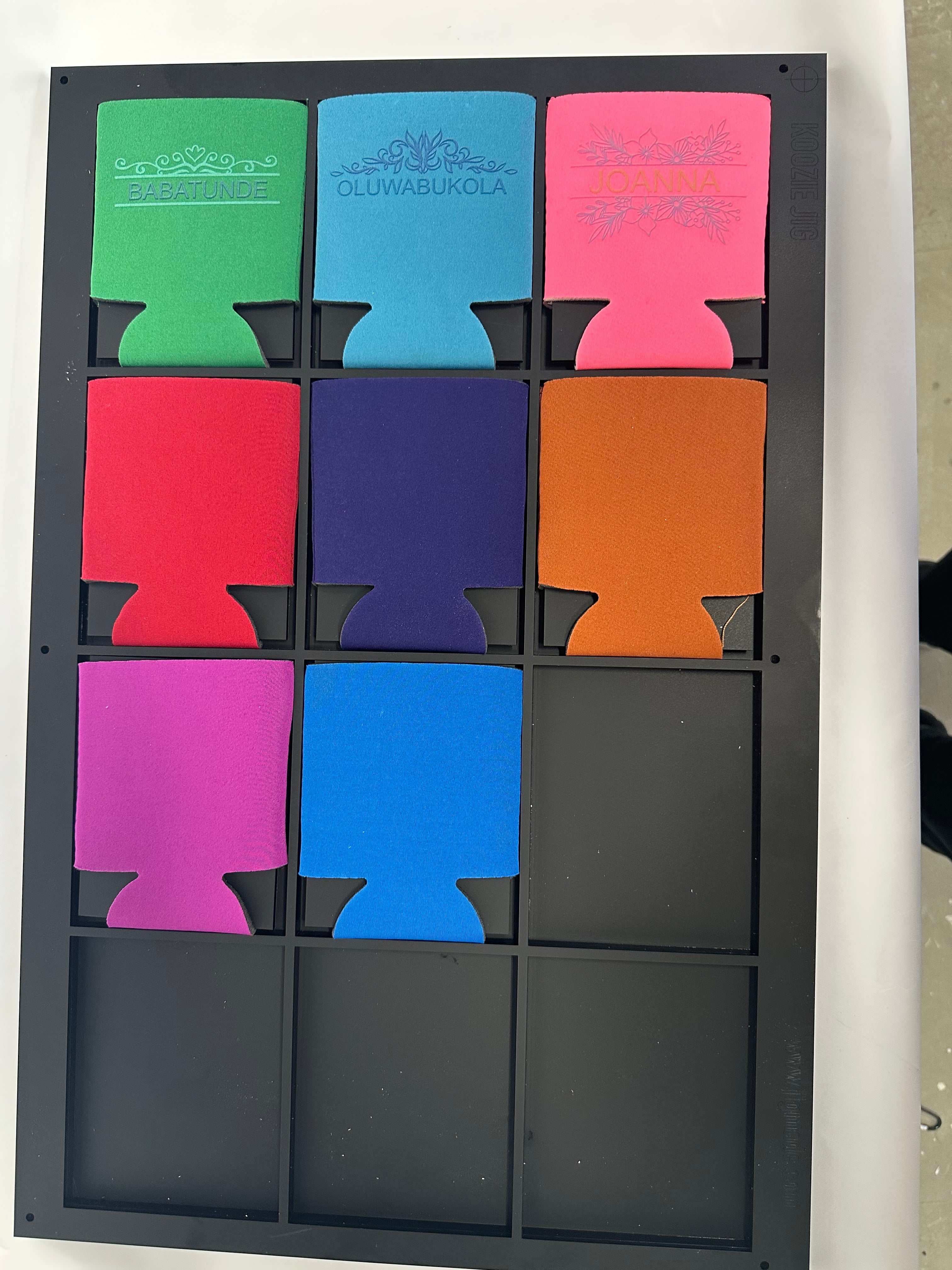
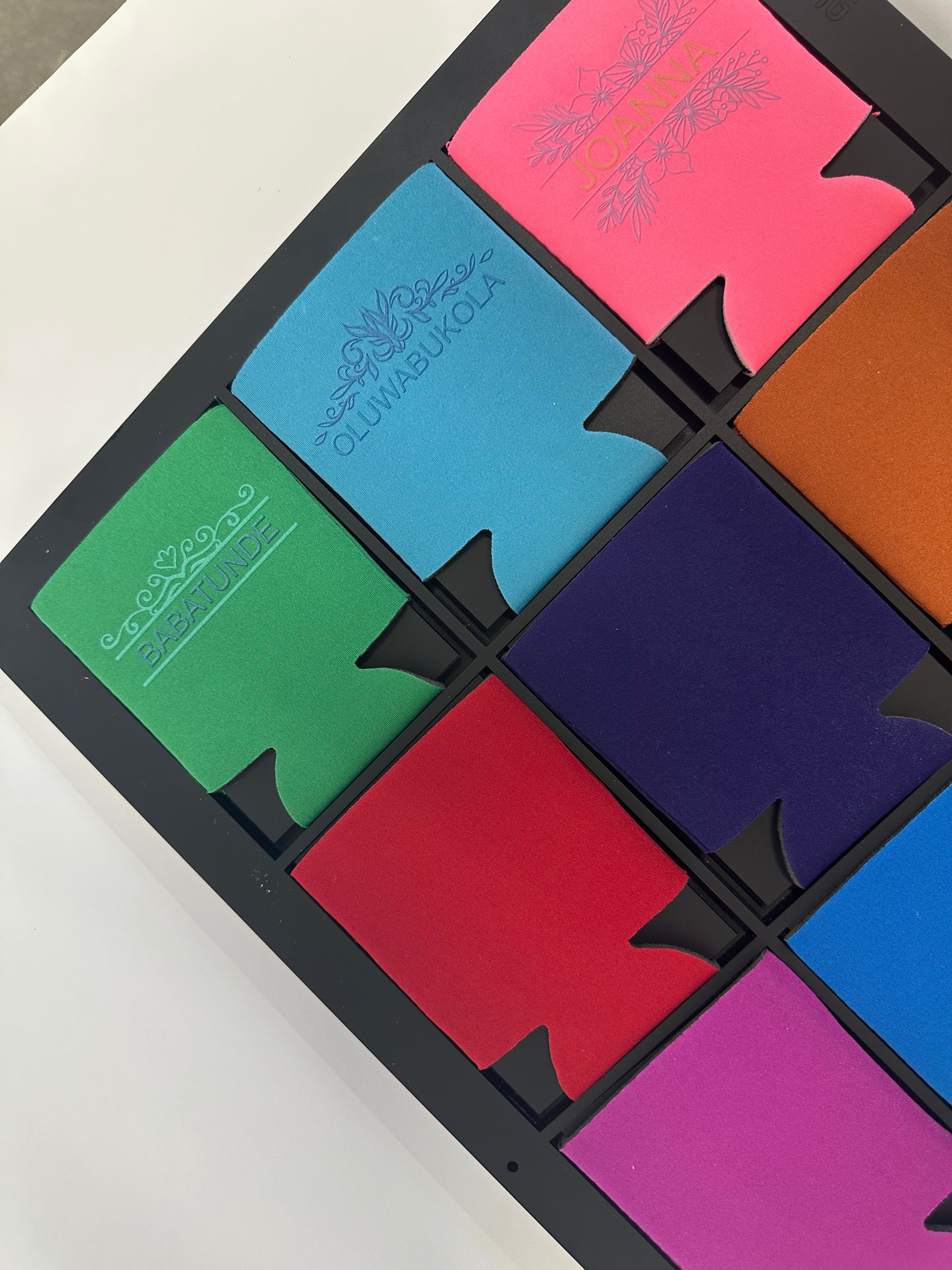
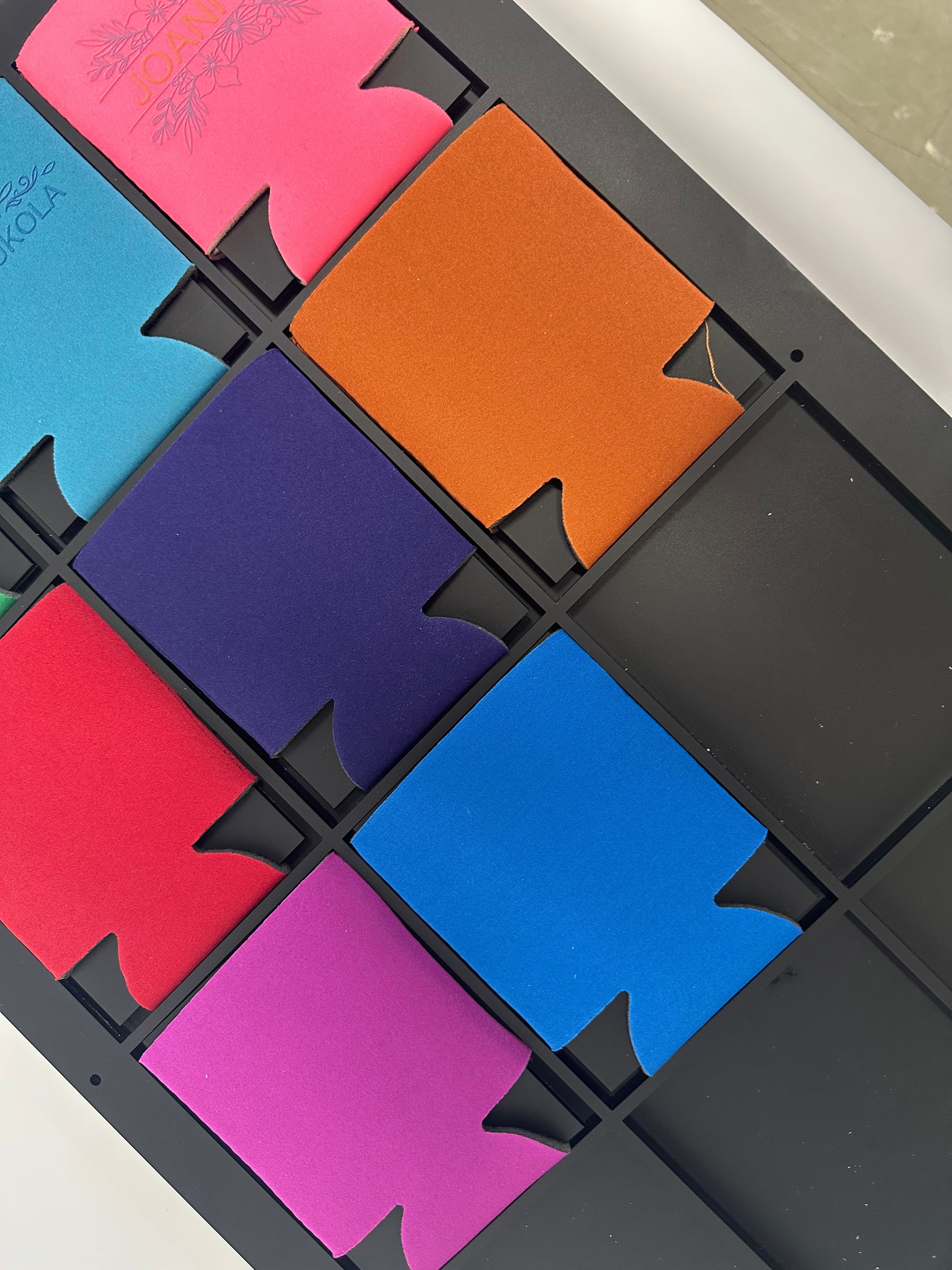
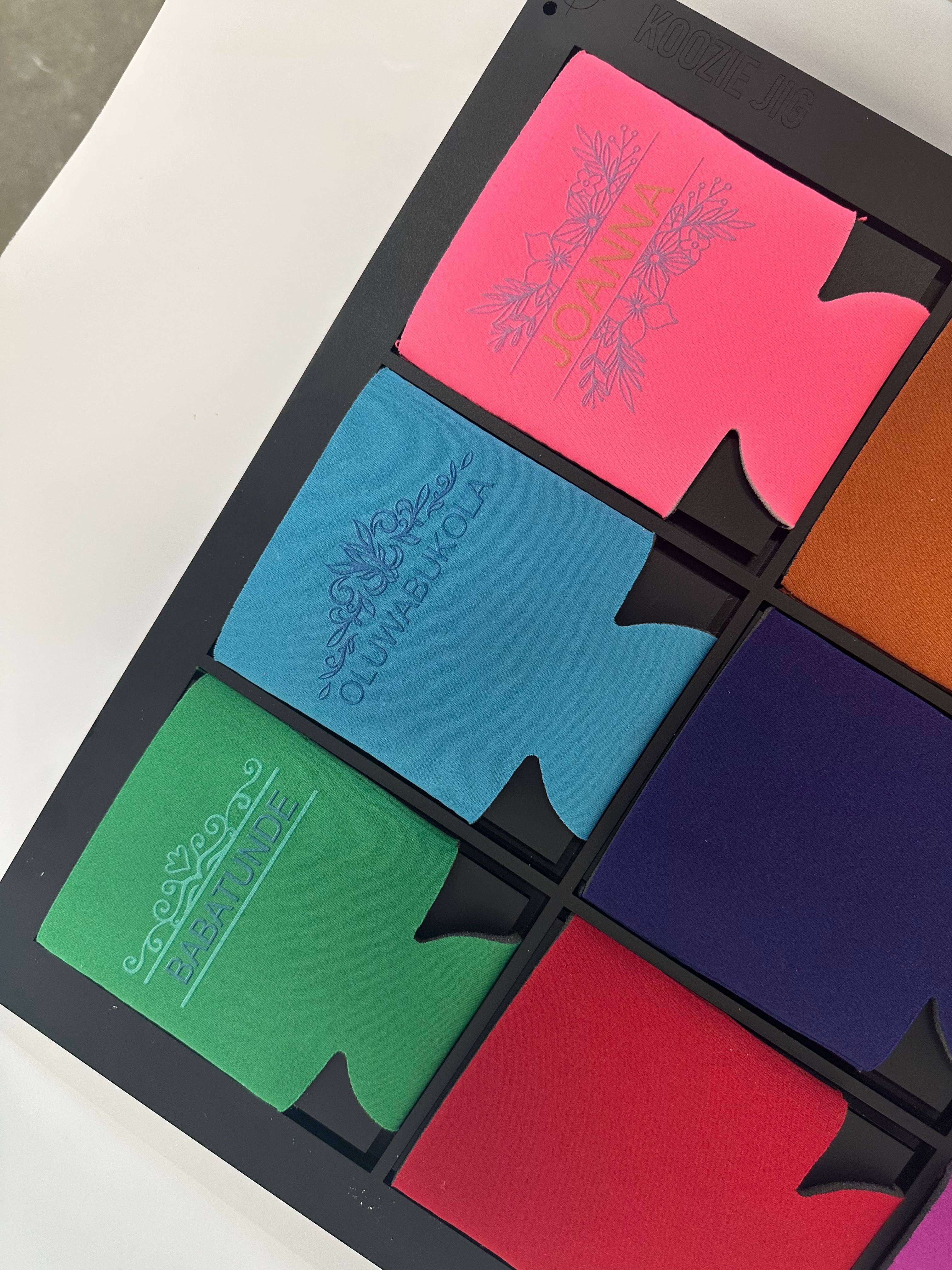
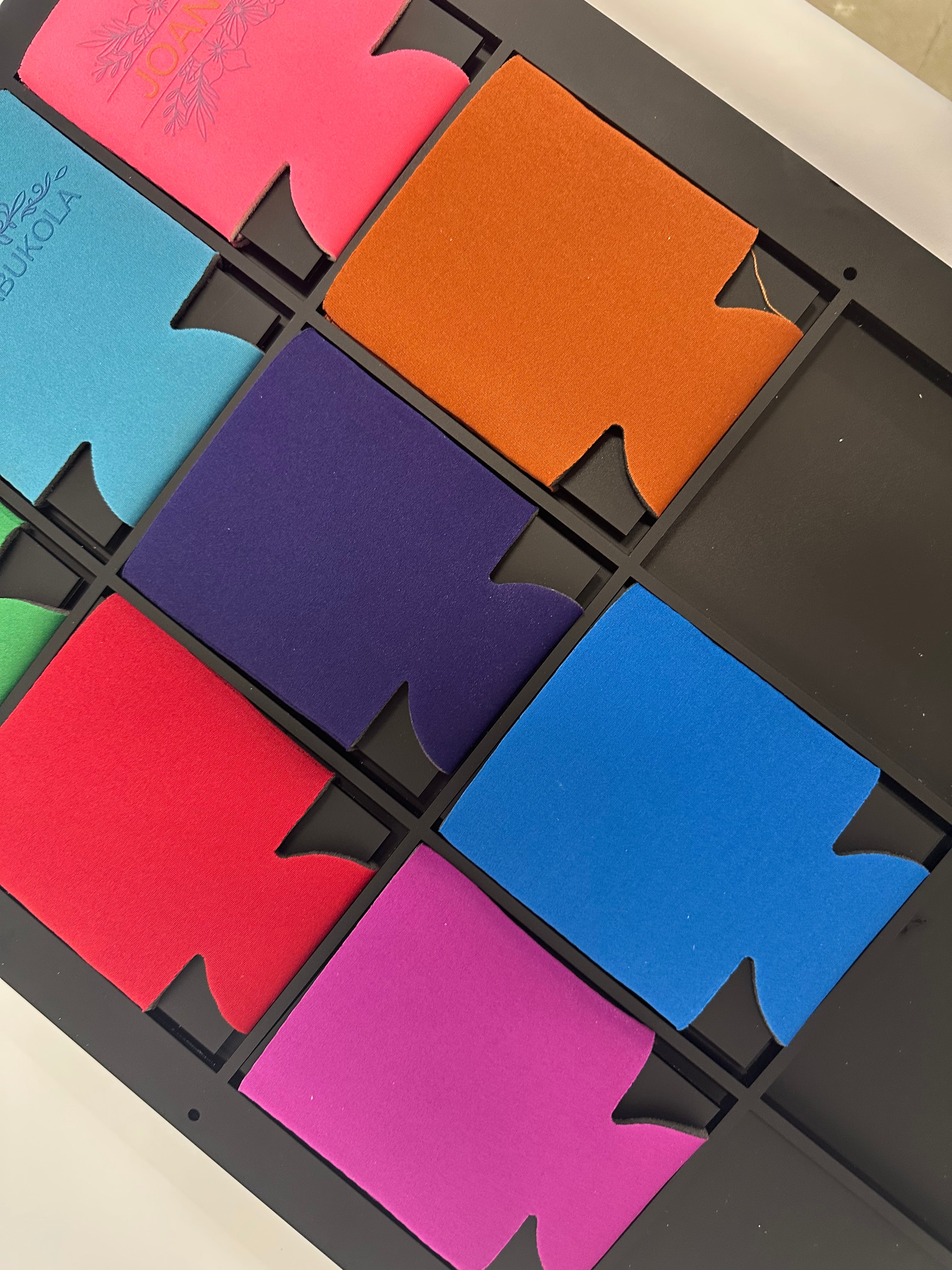
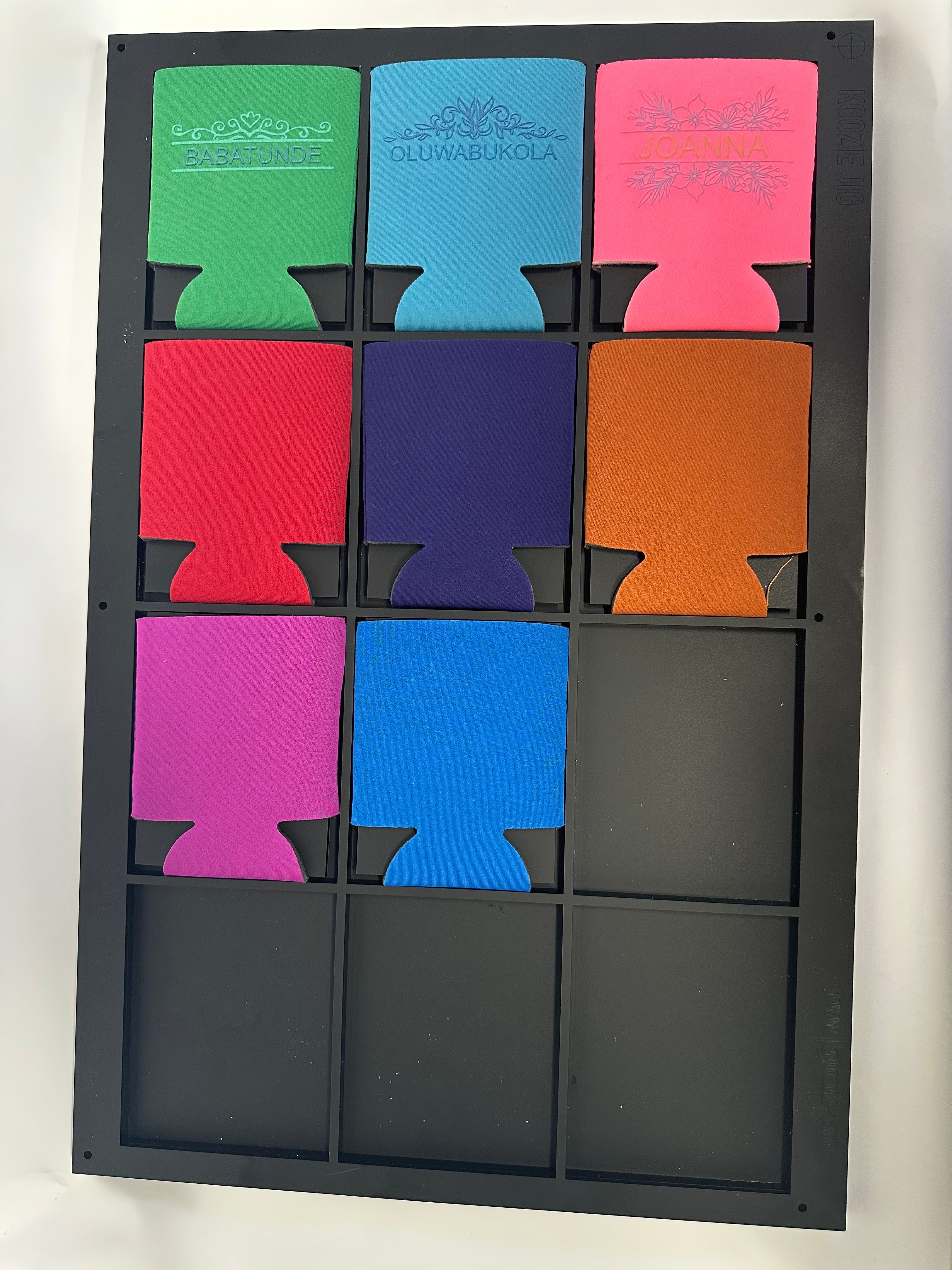
This production jig is designed to help improve alignment, repeatability, and workflow efficiency when printing on can cooler sleeves using Roland VersaOBJECT MO-240. It is ideal for print shops, personalization businesses, promotional product companies, award shops, gift manufacturers, and UV printing teams that need a consistent setup for batch production.
The jig helps position each can cooler sleeve in a repeatable layout, reducing manual measuring and helping operators maintain consistent artwork placement from one production run to the next. It is especially useful for custom can cooler sleeves, event favors, corporate giveaways, and promotional products.
A matching digital PDF template is included to help you prepare artwork and align your print layout with the physical jig.
Key Features
- Designed to support repeatable printing on can cooler sleeves
- Compatible with Roland VersaOBJECT MO-240
- Helps improve product placement, alignment, and repeatability
- Supports a more consistent production workflow for UV flatbed printing
- Includes a digital PDF template for artwork setup
- Helps reduce manual measuring and positioning time
- Ideal for batch printing and repeat production
- Designed for professional UV print shop use
Printer Compatibility
This product is designed for use with the following printer or workflow setup:
- Roland VersaOBJECT MO-240
Please confirm your printer model, product size, print setup, and artwork layout before production.
Product Specifications
| Product Type | Can Cooler Sleeve Jig |
| Compatible Printer Models | Roland VersaOBJECT MO-240 |
| Recommended Use | UV flatbed printing workflow for can cooler sleeves |
| Digital Template Included | PDF template included |
| Physical Product Included | Yes |
| Can Cooler Sleeve Included | No, can cooler sleeves are not included |
What’s Included
- 1 physical can cooler sleeve printing jig
- 1 digital PDF template for artwork setup
What’s Not Included
- Can cooler sleeves are not included
- Printer is not included
- Artwork design service is not included unless purchased separately
- Ink, primer, cleaning supplies, and production accessories are not included
- Full-bed alignment base is not included unless purchased separately
Recommended Applications
- Custom can cooler sleeve printing
- Event favors
- Corporate giveaways
- Branded drinkware accessories
- Promotional products
- Batch UV printing on can cooler sleeves
Best For
- UV printing shops
- Personalization businesses
- Promotional product companies
- Award and engraving shops
- Gift product manufacturers
- Print shops producing repeat custom products
- Businesses using flatbed UV printers for batch production
How It Helps Your Workflow
Printing on can cooler sleeves requires consistent placement to achieve clean, repeatable results. This jig helps keep each item positioned in a fixed layout, reducing setup time and helping operators maintain better alignment across multiple production runs.
The included PDF template helps you set up artwork to match the jig layout, making repeat orders and batch production easier to manage.
Artwork Setup
Your order includes a digital PDF template to help you position your artwork before printing. We recommend placing your artwork within the template and performing a test print before running full production.
For best results, confirm product size, artwork position, printer settings, product height, and print alignment before starting a production batch.
Important Notes
- Can cooler sleeves are not included with this product.
- Always confirm product fit and print alignment before running production.
- Different can cooler sleeve brands or blanks may have slight size, shape, coating, or surface variations.
- Printer settings, product height, ink adhesion, and operator setup may affect final print results.
- We recommend testing your artwork and adhesion process before full production.
Why Choose This Jig?
This jig is built for production efficiency and repeatability. It gives users of Roland VersaOBJECT MO-240 a more organized way to print can cooler sleeves for customers, events, businesses, schools, teams, and promotional product orders.
With the included digital PDF template, you can create a repeatable artwork workflow that helps reduce setup time and supports more consistent print placement.